ESP
Arma Reforger ESP Guide: Clean Overlays for Conflict
ESP wins information fights in Arma Reforger — if you configure it. This guide walks through player ESP, vehicle ESP, item ESP, skeleton and health bar toggles, team ESP colors, bounding boxes, and distance readouts so your overlay helps instead of overwhelms.
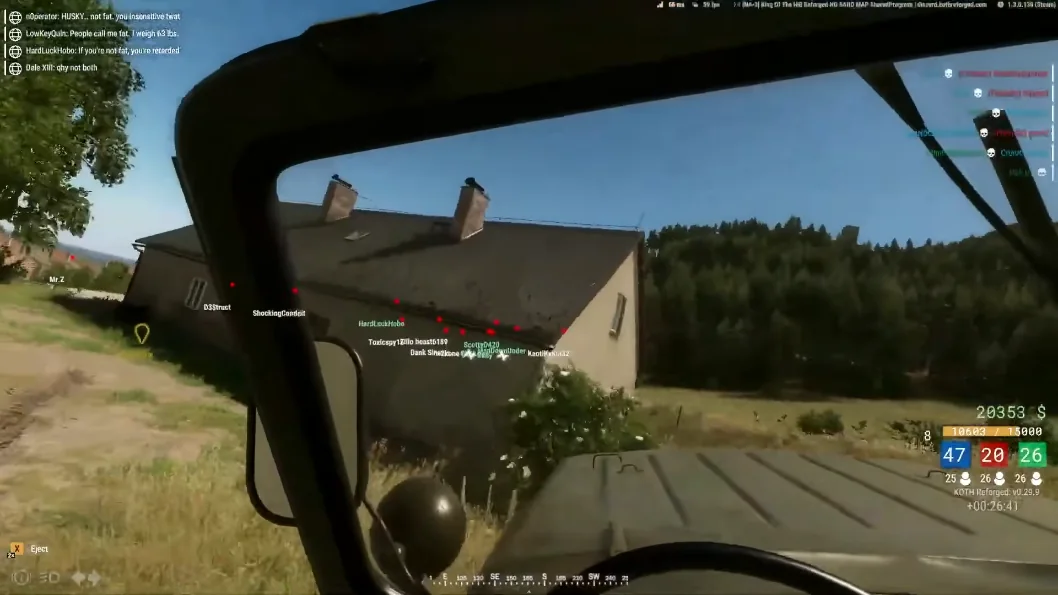
Player ESP: boxes, skeleton, and health bars
Start with player ESP only — bounding boxes plus distance readouts. Add skeleton lines when you need head-level clarity in tall grass. Enable health bar overlays once you understand pacing; watching a wounded soldier push can save your magazine.
Team ESP should use a distinct color from enemies so flanking squads do not look identical. Deep dive: player ESP article and ESP product page.
Vehicle ESP and item ESP for logistics
Turn vehicle ESP on when armor is in play. Mark convoy direction early and rotate before the BMP arrives. Item ESP shines during ammo starvation — filter to weapons and medical kits instead of every world prop.
Guides: vehicle ESP and item ESP. Pair with radar for threats outside your view cone.
Wallhack, config system, and hotkeys
Wallhack shows targets through terrain — powerful but visually busy. Use the config system to save a "push" profile (players + team ESP) and a "loot" profile (item ESP only). Bind hotkeys so you switch in one keypress mid-Conflict.
After Bohemia patches, confirm ESP status on Updates. Full feature list: Features and wallhack guide.